Appearance
Liii STEM Quick Start
Modes
Liii STEM has multiple editing modes. The two most common are:
- Text mode
- Math mode
In math mode, input is rendered with math fonts and math-only features are enabled (for example, formula-aware search and replace).
Basic Writing
Liii STEM starts in text mode by default.
Besides standard rich-text features (bold, italic, highlight, code blocks, tables), you can also set custom fonts and text size for selected text.
Math Formula Writing
Click $ to enter math mode. You can then easily write expressions such as:
How to input this matrix
- Enter math mode and use
Alt/Option+tthenTabto insert a matrix. - Use
Alt/Option+ arrow keys to expand a 1x1 matrix to 3x3. - Input symbols such as:
- :
athenTab - :
bthenTab - :
gthenTab
- :
For more details, see Math Editing Quick Start.
Insert Titles, Sections, and TOC
Insert a title
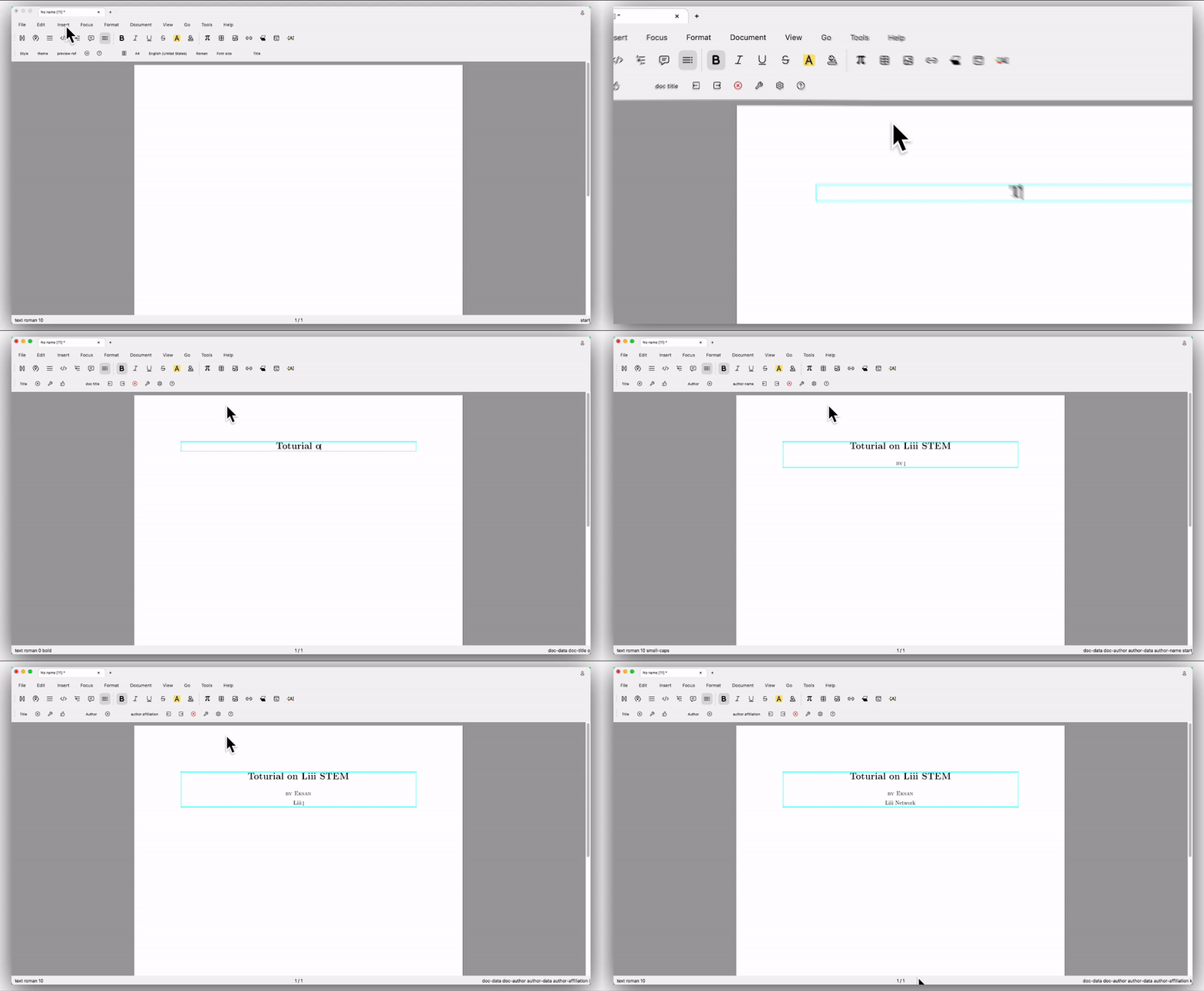
In text mode, click Insert -> Title to insert a title or abstract.
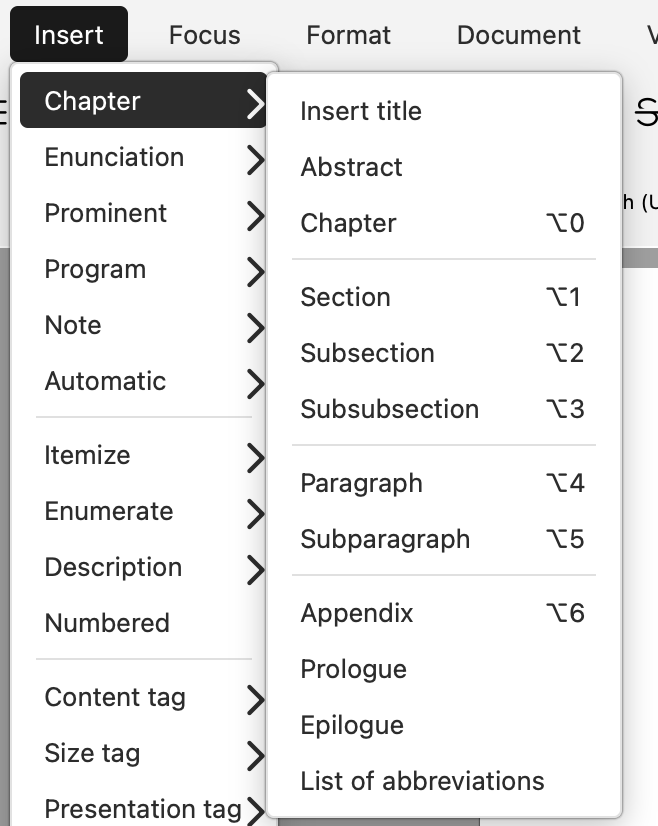
Insert sections
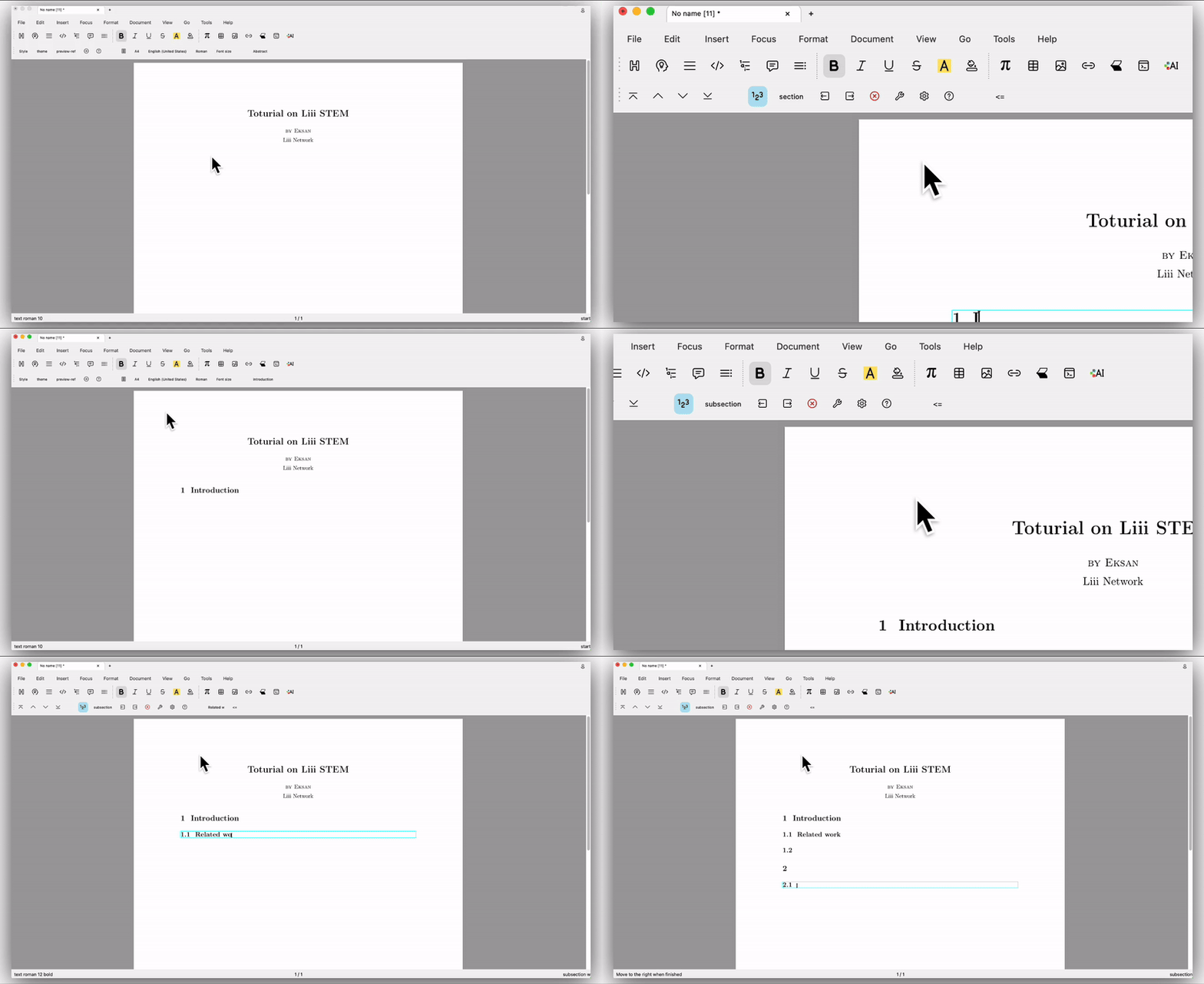
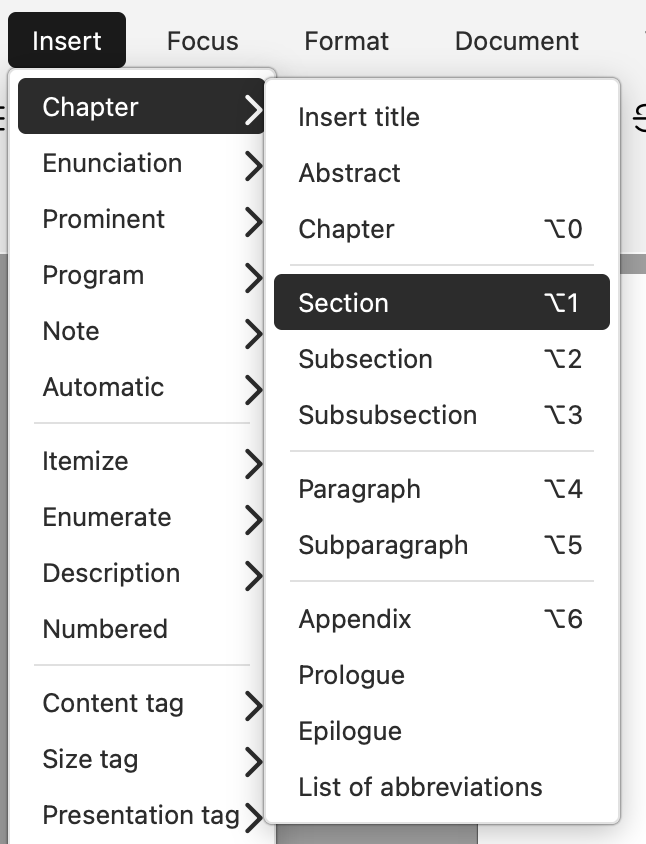
In text mode, click Insert -> Section to insert section levels.
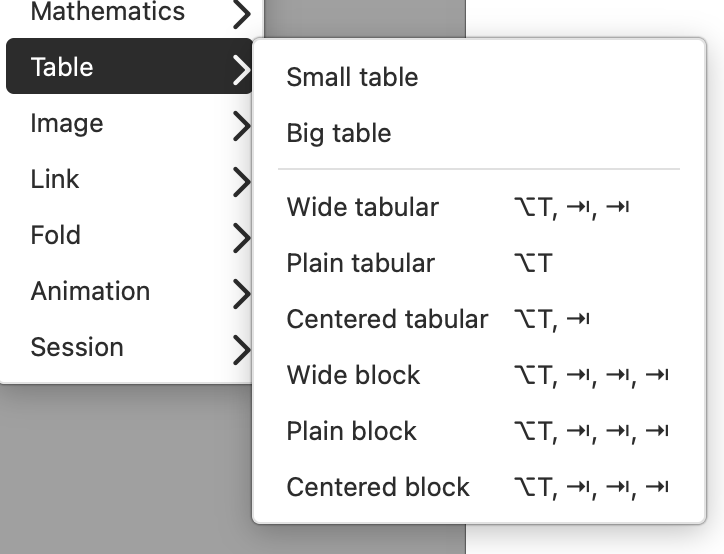
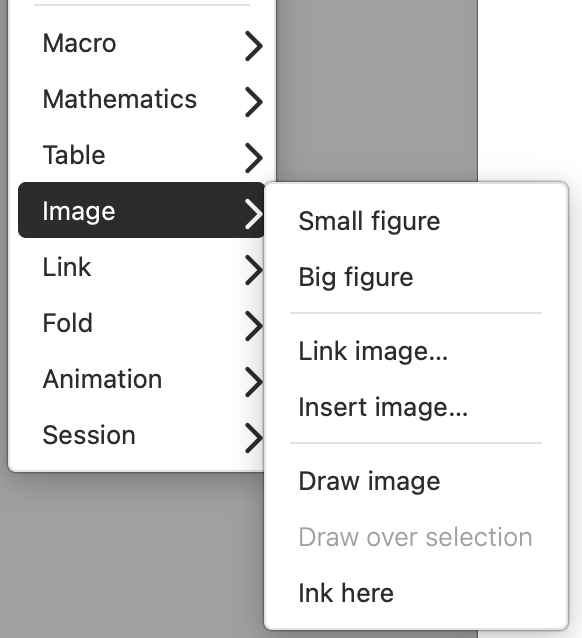
Insert tables and images
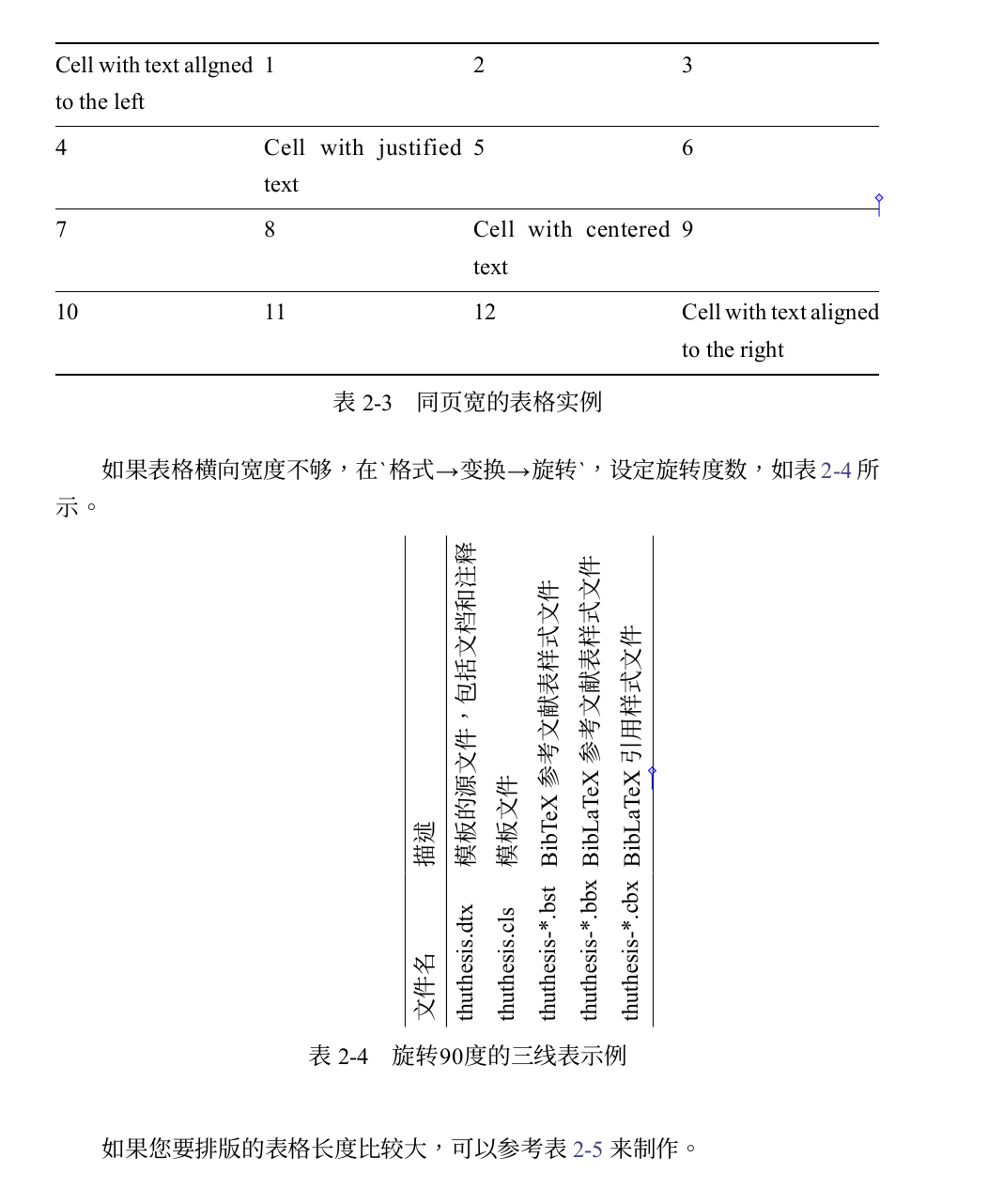
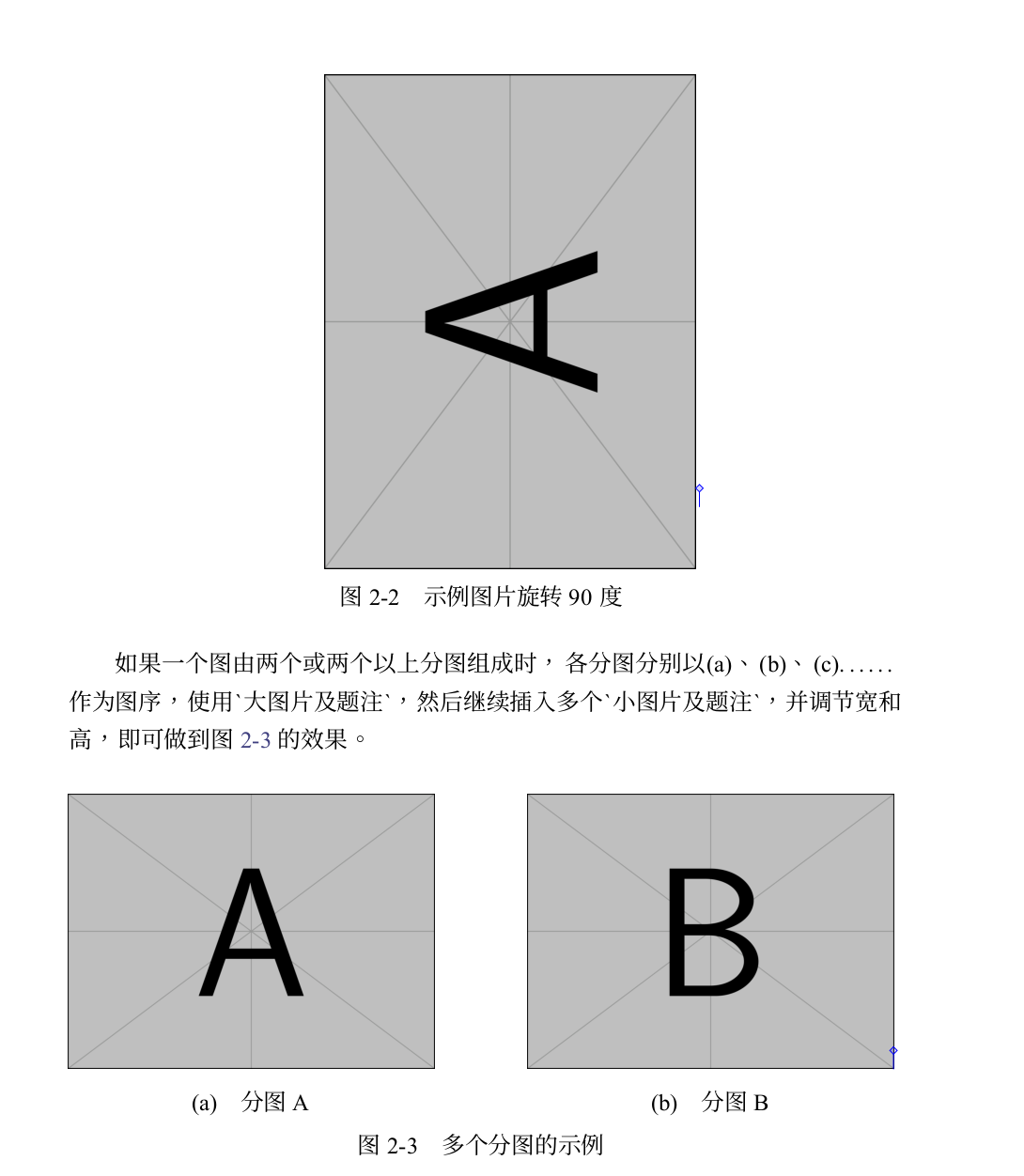
Liii STEM supports images (including publication-quality vector graphics in PDF) and multiple table styles (including three-line tables). Both support captions, rotation, and LaTeX export.
Insert an automatic TOC
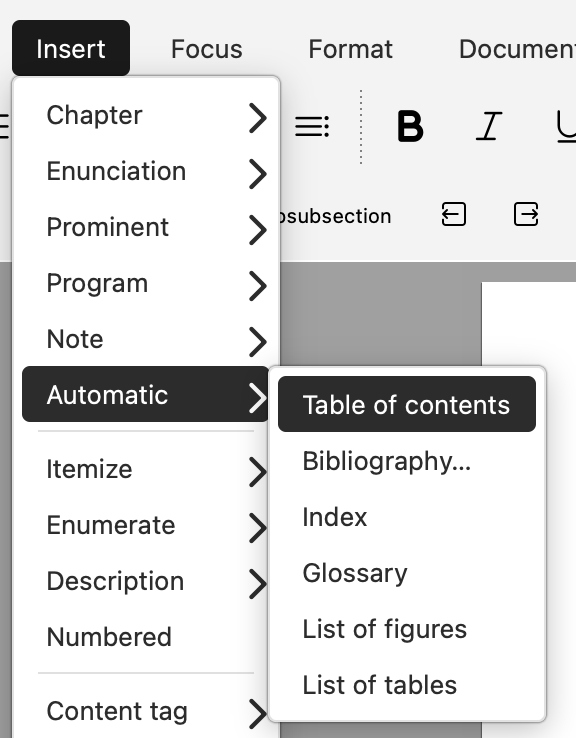
TOC and bibliography are automated content in Liii STEM.
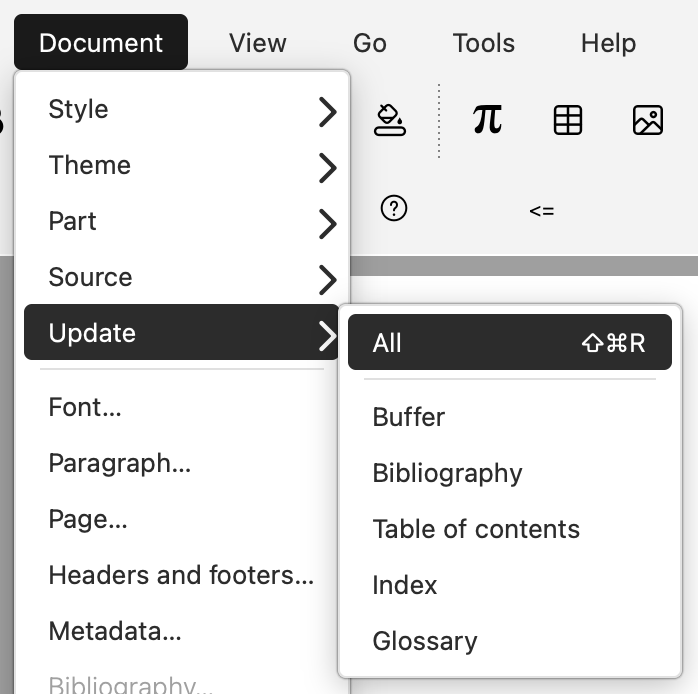
Insert an empty TOC first, keep writing, and then click Document -> Update -> All to auto-fill it.