Appearance
Chinese Documents and Pinyin Annotation
Pinyin Annotation
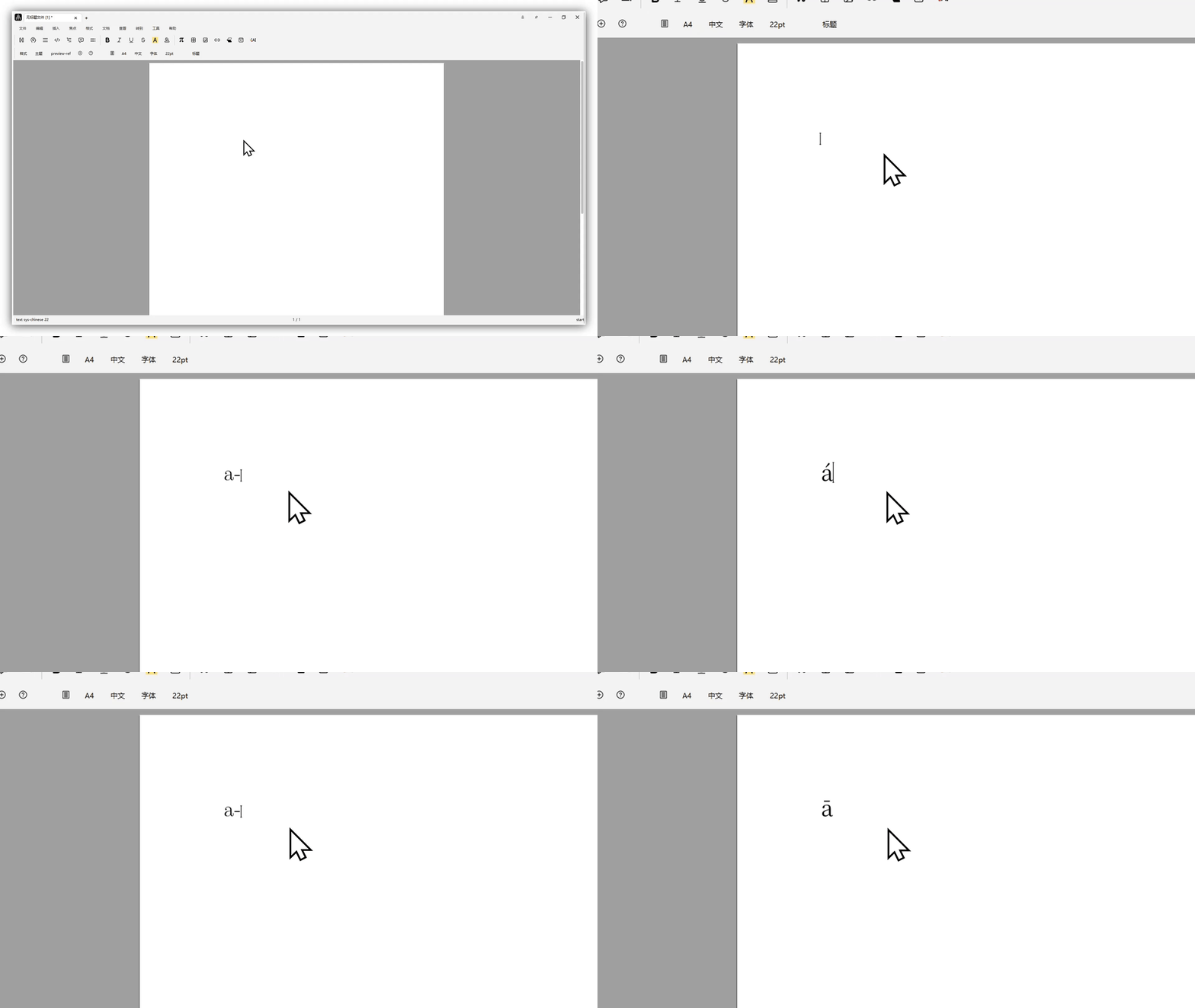
Annotate letters
Type any letter (for example, a), then press -, and use Tab to cycle through the first to fourth tones.
Annotate Chinese text
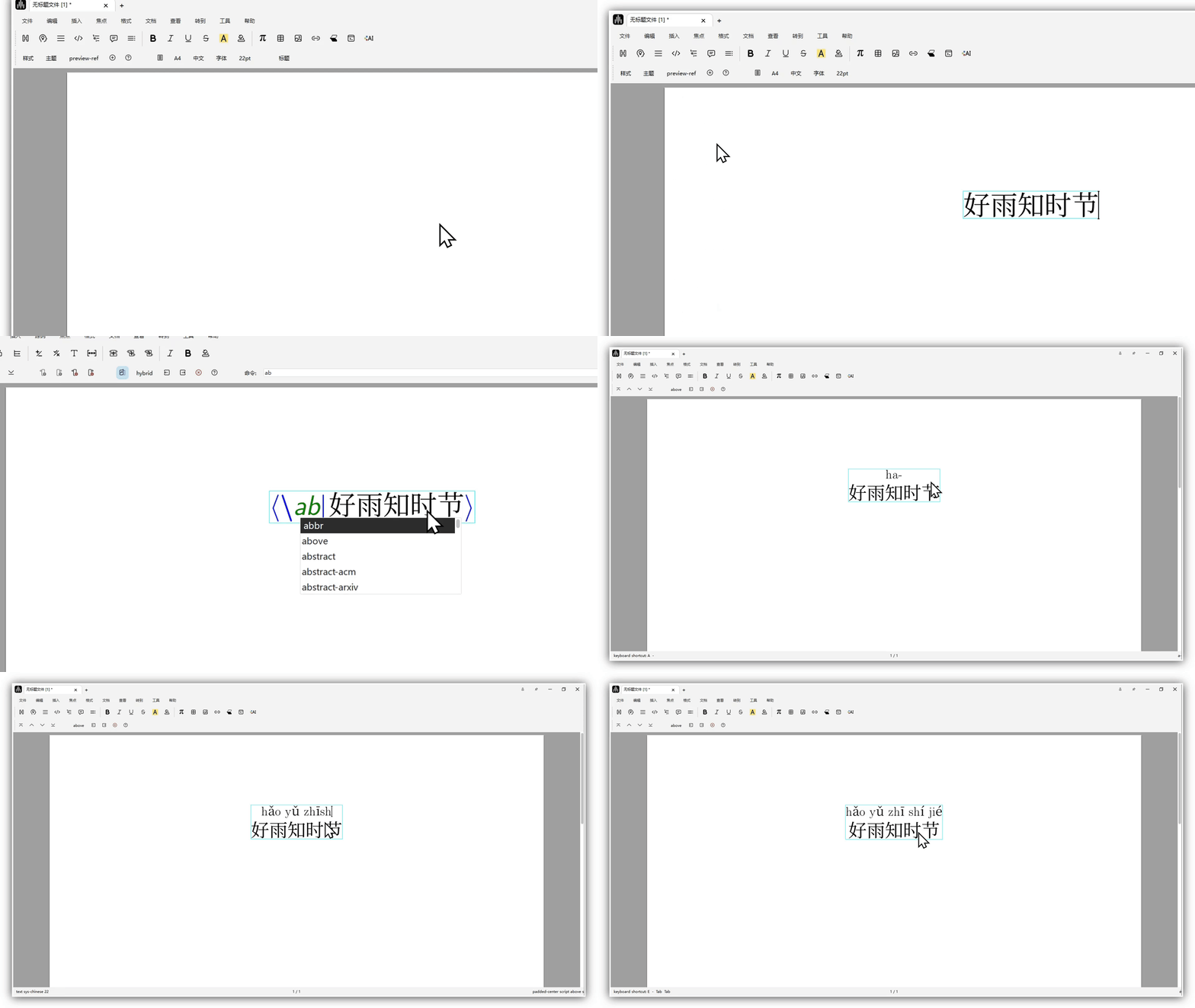
Use a short Chinese sentence as an example, such as "hao yu zhi shi jie".
After typing the sentence, select the text that needs annotation, insert \above to create the upper annotation input box, and then type as usual.
Example:
Notes for Pinyin Annotation
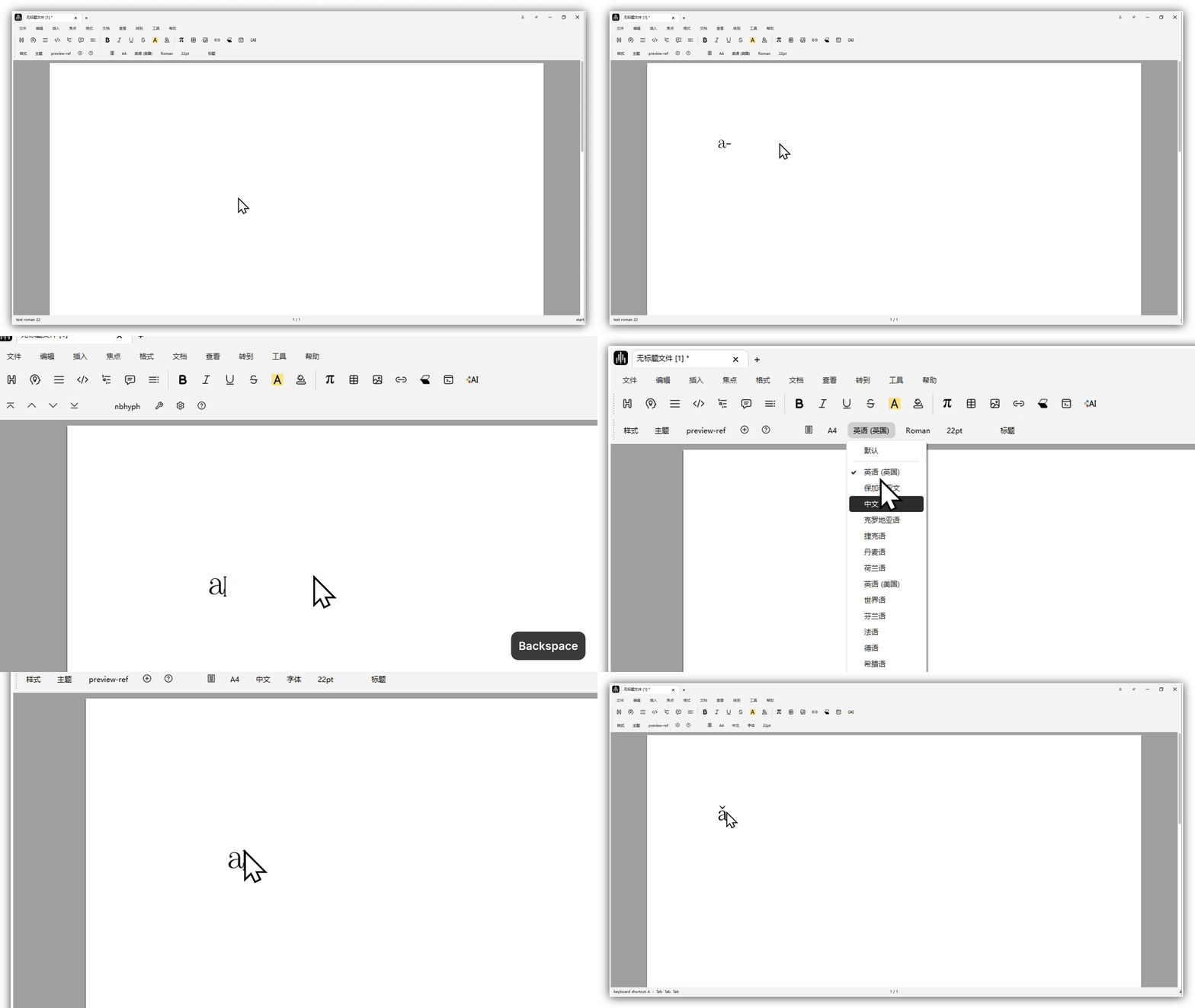
Pinyin annotation works only when the document language is Chinese. If your document language is English, switch the document language to Chinese first.