Appearance
Liii STEM v2025.1 Version Change Log
⭐️ New Features and Highlights
- AI streaming output + toolbar entry: AI features now stream responses and are accessible from a dedicated toolbar entry for smoother interaction.
- LLM upgrade + new model support: Upgraded to
v20251024, with new support for DeepSeek 3.2 and Qwen 3.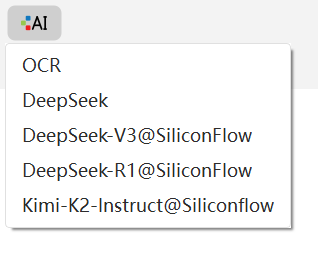
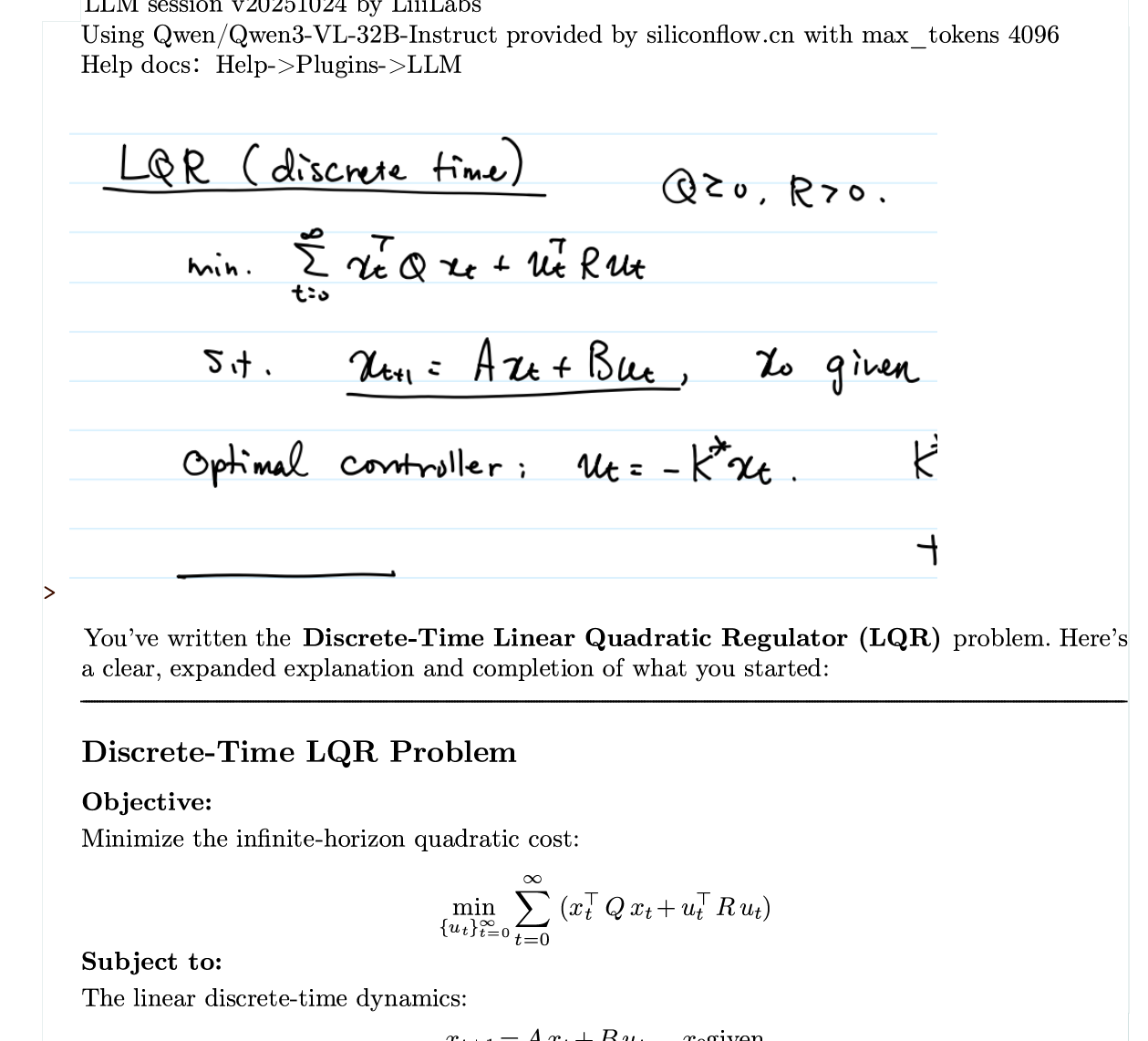
- Handwriting / image OCR: Added an OCR model for handwritten formulas and image recognition.
- Comments: Insert comments and set comment authors (
Packages → Utilities → Comment,Ctrl+/to insert), plus fold/unfold withAlt+Shift+↑/↓.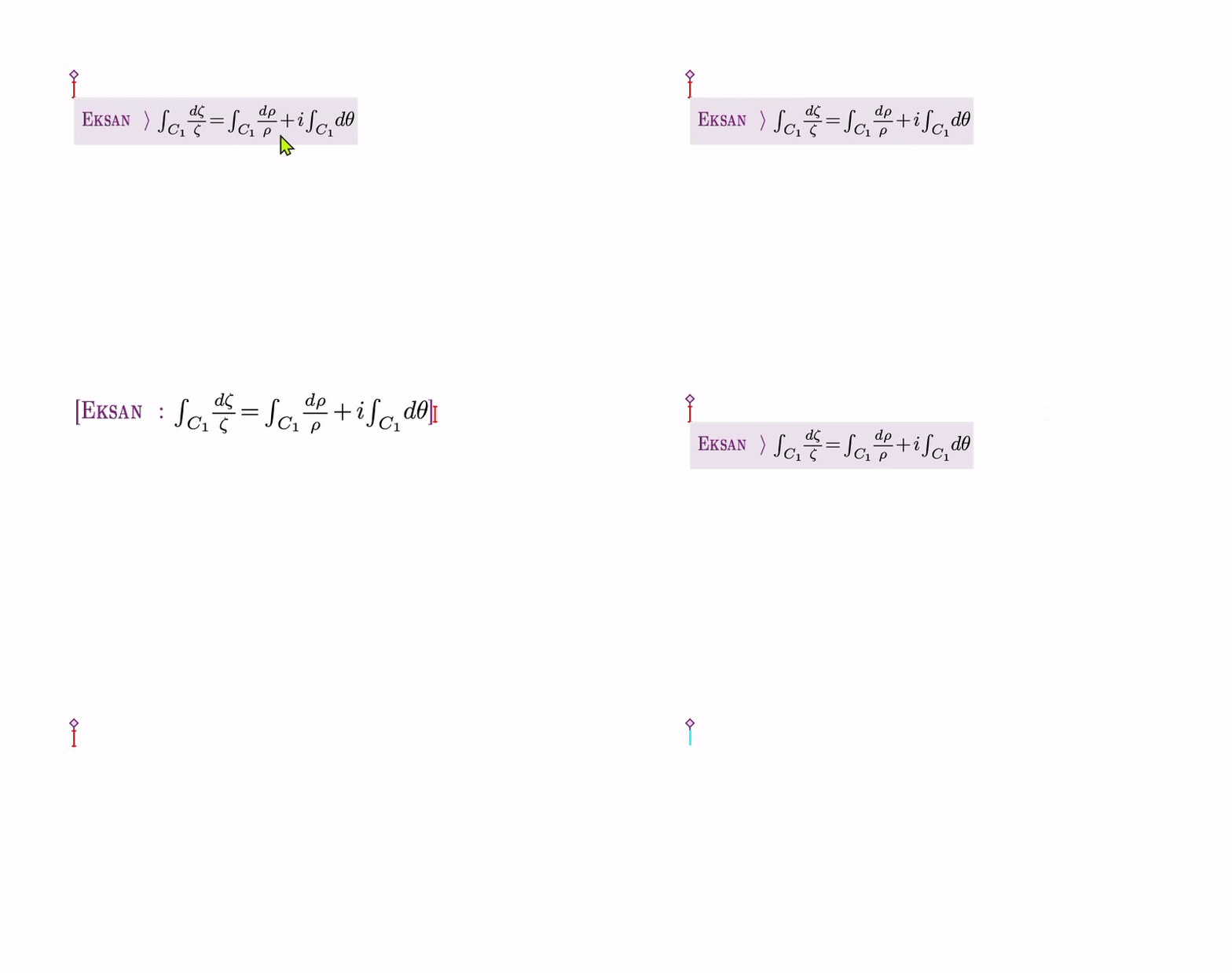
- Emoji quick input: e.g. type
:anger:to insert💢.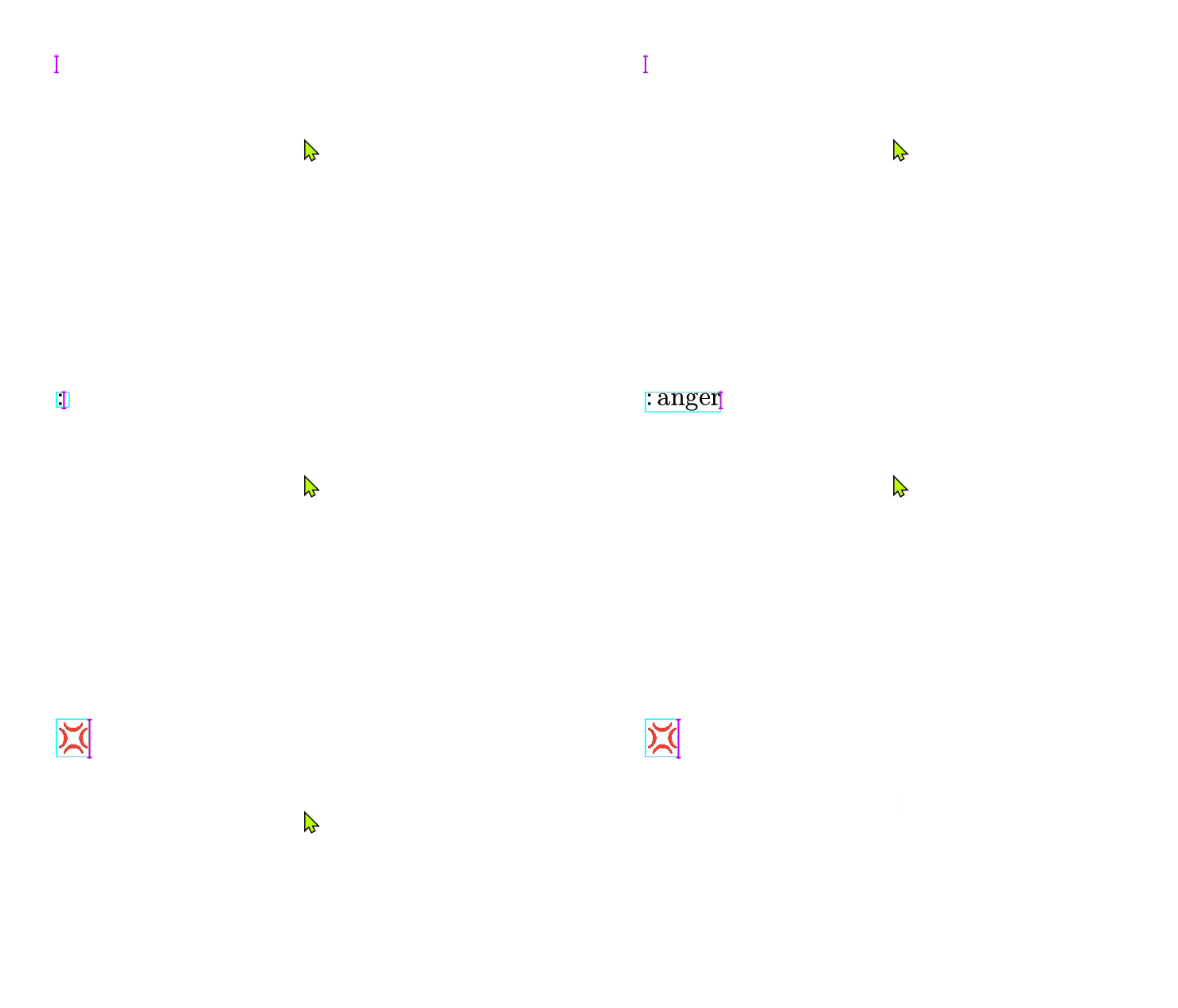
- Custom start number for ordered lists: set the starting index via
item-nr, and keep numbering independent across lists.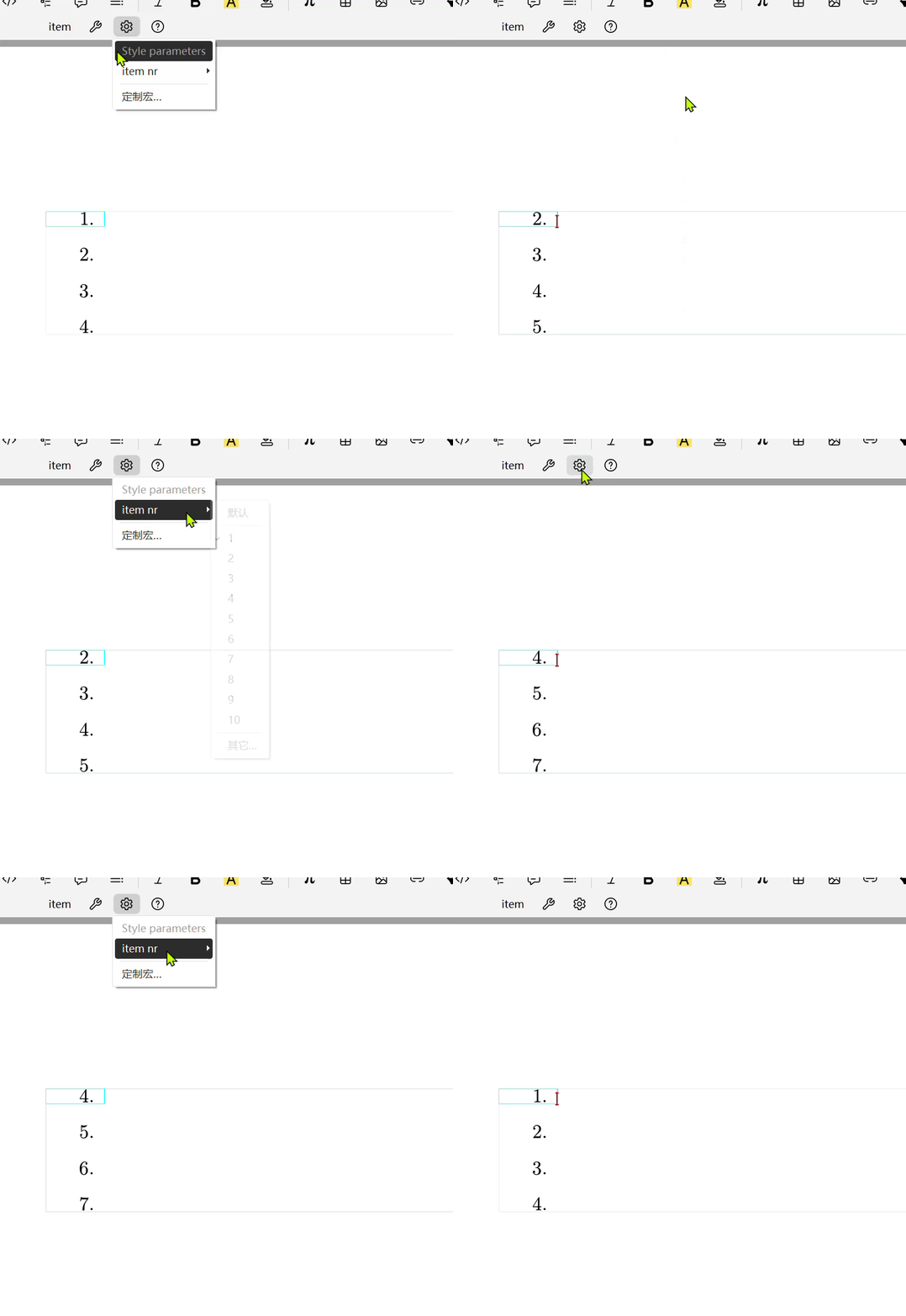
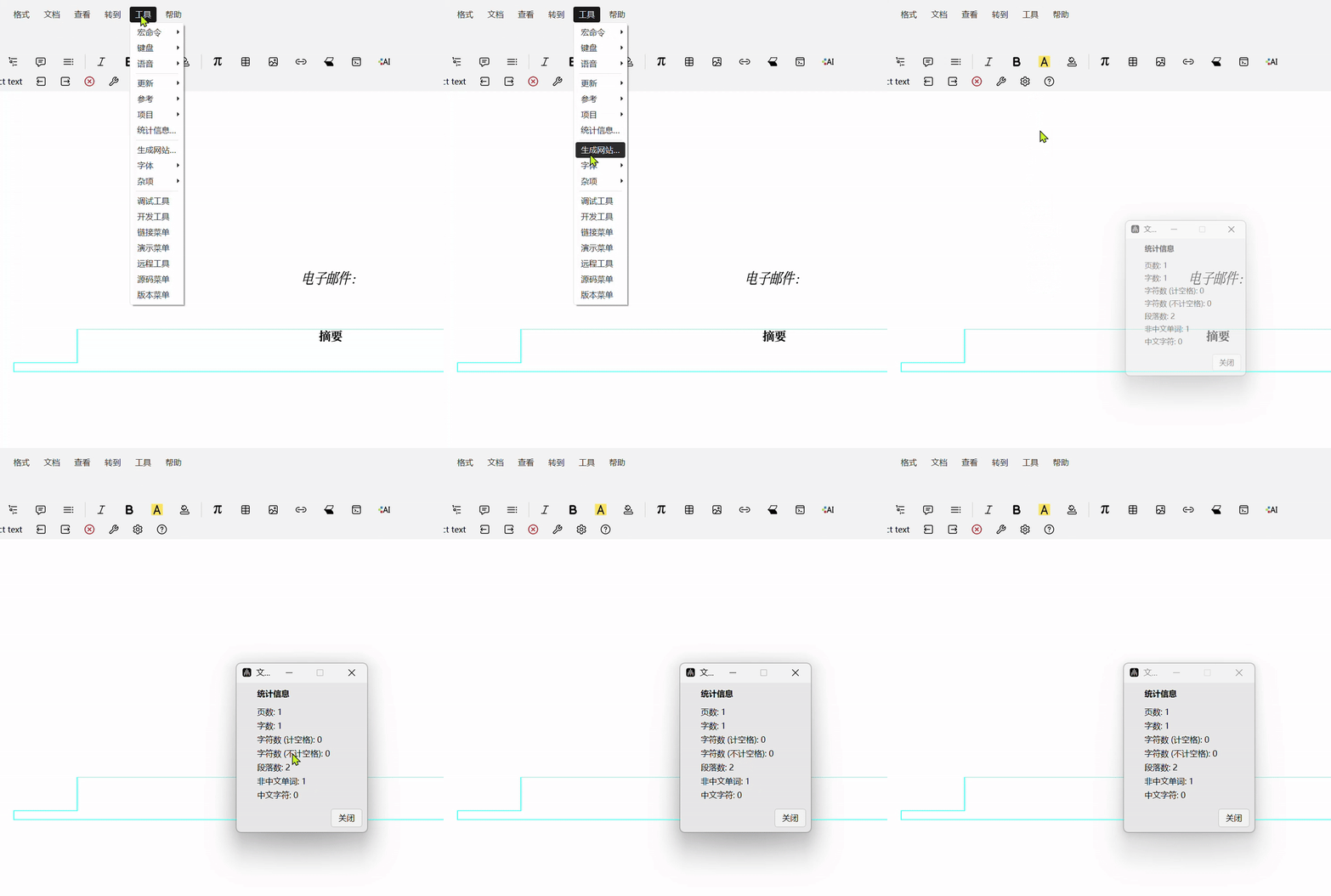
- Statistics window improvements: more complete info, with better layout and sizing.
- Themes & UI: added Liii Dark theme, icon polish, and fixes for dark theme and
coursestyle buttons. - Editing & typesetting: smarter Tab completion, more shortcuts, richer alignment/list styles, and better math font/symbol support (incl.
\mathscr). - Export & stability: PDF export supports Emoji, better image embedding, and multiple key stability fixes.
🌟 Summary
Liii STEM v2025.1 focuses on productivity and polish: faster editing workflows, stronger math typesetting, a more complete comment system, expanded AI/OCR capabilities, improved PDF export, and many stability and cross-platform fixes.
🔧 Changelog
Liii STEM v2025.1.6 (2025.11.07)
- Ordered lists now support custom starting numbers (
item-nr), and numbering stays independent across list environments. - Added comment insertion and author settings (
Packages → Utilities → Comment), shortcutCtrl+/to insert; comments can be folded/unfolded withAlt+Shift+↑/↓(added in v2025.1.5 and highlighted again here). - Added the “does not divide” symbol
∤to the Math Mode toolbar, with shortcut|then/. - In the environment toolbar, “Preferences for tag” now supports switching chapter/section numbering formats.
- Character counting now ignores line breaks.
- In the
liii-nighttheme, removed redundant indent/alignment buttons from the source-style toolbar. - Fixed button colors for
coursestyle in dark mode. - Fixed tooltip localization for “Insert ellipse”.
- Improved localization coverage for math superscript/subscript menu items and related task-document guidance.
- Localized the dialog for
Edit → Search recent documents. - Translation tweaks: “alignment equation” → “multi-line equation (align)”, “several equation” → “multi-line equation (eqnarray)”.
- Prevented session menu items from being translated, keeping technical terms consistent.
- Adjusted circled-number alignment: replaced
aligned-space-itemwithaligned-itemto avoid centering issues. - Fixed truncated text in the input box of “Search recent documents”.
- Fixed navigation commands (next/previous) unexpectedly changing the converter structure; now preserves the user-selected converter state.
Liii STEM v2025.1.5 (2025.10.23)
- Improved the Statistics window (open via
Tools → Statistics) with more complete information. - Optimized Statistics window styling: adjusted window width and data spacing.
- Fixed a critical issue where Beamer mode couldn’t switch pages (a regression from large-document optimizations).
- Added macOS trackpad zoom support.
- Fixed
\mathcatalanincorrectly rendering in italic; restored upright “C”. - Added shortcut inputs for some Emoji.
- Upgraded LLM to
v20251024, removing some legacy models. - Added support for DeepSeek 3.2 and Qwen 3.
- Added an OCR model with built-in system prompts for handwritten formulas / image recognition.
- Added comment insertion and author settings (
Packages → Utilities → Comment), shortcutCtrl+/to insert. - Comments can be folded/unfolded with
Alt+Shift+↑/↓. - Added a shortcut for the
alignenvironment:Ctrl+$(also added an option in the menu bar). - Emoji shortcut example: in Math Mode, type
:anger:to insert💢. - Fixed a plugin issue where continuous input kept stealing focus and the table of contents couldn’t jump correctly.
Liii STEM v2025.1.4 (2025.10.11)
- Fixed PDF export failing with Emoji; PDF export now supports Emoji.
- Supports dragging images from the browser to embed (WebP not supported yet).
- Added a “123” numbering button to the
aligntoolbar, with shortcutCtrl+#. - Presentation mode (
View) now supportsEscto exit fullscreen. - Math Mode toolbar accent icons switched from PNG to SVG.
- Read-only files now show a save prompt and a
[Read-only]label; saving prompts “Save as”. - Fixed comment feature enablement: the comment menu can be enabled via
Document → Style → Packages → Utilities → comment. - Improved the dialog when closing buffered files to a “Save / Don’t save” flow.
- Known issue: when multiple temporary files exist, choosing “Save” only saves the current file; closing an existing file can still save modifications.
- Fixed a ghosting issue where
</>+ Tab showed<>in Math Mode. - Added MATLAB syntax highlighting:
Document → Style → Packages → Code → matlab; create viaInsert → Macro → matlab. Usematlabinline andmatlab-codefor code blocks. - Reduced view-zoom lag for large documents.
- Preserves cursor position when switching between body and preamble.
- Adjusted circled-number shortcuts to
@+ number + Tab (0-20) to avoid accidental triggers in email addresses. - Added parenthesized-number shortcut:
(+ number + Tab. - Added Roman numeral shortcuts:
I 5 Tab→Ⅴ,i 5 Tab→ⅴ. - Added ordered-list styles: Chinese numerals, circled numbers, and parenthesized numbers.
- Adjusted ordered-list letter styles to
a. b. c.andA. B. C.. - Added menu entries for ordered lists/arrangements:
Insert → Ordered list …/Insert → Ordered arrangement …. - Optimized arrangement line spacing (smaller default).
- Fixed gaps between table rows when tables break across pages.
Liii STEM v2025.1.3 (2025.09.15)
- Fixed a freeze when inputting an ellipsis via Shift+6.
- Fixed unresponsiveness caused by multiple copy operations after selecting all.
- Fixed PDF export failure when image content and format didn’t match.
- Fixed the Gnuplot plugin not rendering correctly inside folded structures.
- Windows installer now uses a code-signing certificate.
- Added a dedicated installer for macOS 12.
- Moved header/footer features into an auxiliary window.
- Fixed duplicate submenu items for numbered single-line formulas.
- Restored slide order adjustment buttons.
- Supports embedding linked images, or dragging images directly into documents.
- When selecting the dark theme, the app now prompts for restart and offers one-click restart.
- Added friendlier dialogs when opening unreadable files and read-only files.
- Added a success notification after PDF export completes.
- Supports English hyphens in Chinese documents.
- Updated table and matrix insertion shortcuts.
- Added shortcuts for inserting additional math fonts.
- Added quick input support for multiple integral symbol variants.
- Added
\mathscrmath font support. - Added an “Appendix” insertion option in the mode toolbar.
- Improved text highlight rendering.
Liii STEM v2025.1.2 (2025.08.28)
- AI now supports streaming output, showing generation progress in real time.
- AI features are integrated into a dedicated toolbar icon entry.
- Theme updates: icon polish for the classic Liii theme, plus a new Liii Dark theme.
- Search & replace improvements: structured search/replace window embedded as an auxiliary window, supporting complex structures (e.g. formulas) via the Mode Toolbar.
- Added Tab completion in the editing window, covering text, formulas, macro commands, and more.
- macOS shortcuts:
Cmd+Tfor new tabs,Cmd+1-6to switch tabs. - Multi-tab management improvements: added window attach/detach management and fixed many compatibility issues.
- Improved file format option display in Save / Save As / Open dialogs.
- Comprehensive performance optimizations: faster startup, more responsive editing, smoother rendering.
- Math Mode multiplication symbol defaults to
×, and Tab can cycle through other multiplication symbols. - Added multi-integral macro support:
\iint,\oiint,\iiint,\oint,\idotsint, etc. - Magic Paste supports Emoji (beta) and smarter detection of more content types.
- Enunciation environments now use European-style numbering (independent numbering per environment type).
- Added the Assumption enunciation environment.
- Fixed an issue on Windows where images on the D: drive couldn’t be inserted.
👏 Join Us
Join the Mogan community QQ group or our Discord community to connect with like-minded peers and get the latest Liii STEM news.
- Liii STEM Website: https://liiistem.com/
- Mogan community QQ group: 934456971
- Discord: https://discord.gg/Q7xARnAf8t