Appearance
Frequently Asked Questions (FAQ)
Q: Why does continuous input of xy appear in upright font instead of italic?
A: In Liii STEM, continuous input of xy is interpreted as an operator, therefore it appears in upright font (this behavior is equivalent to \mathrm{xy} in LaTeX). If your actual meaning is x multiplied by y, you can add an extra space between xy (a stricter approach is to input a space followed by Tab, which inputs an invisible multiplication symbol).
Q: How to input subscript for lim
A: Enter Math Mode and input lim, then input _ to add content below the limit lim.
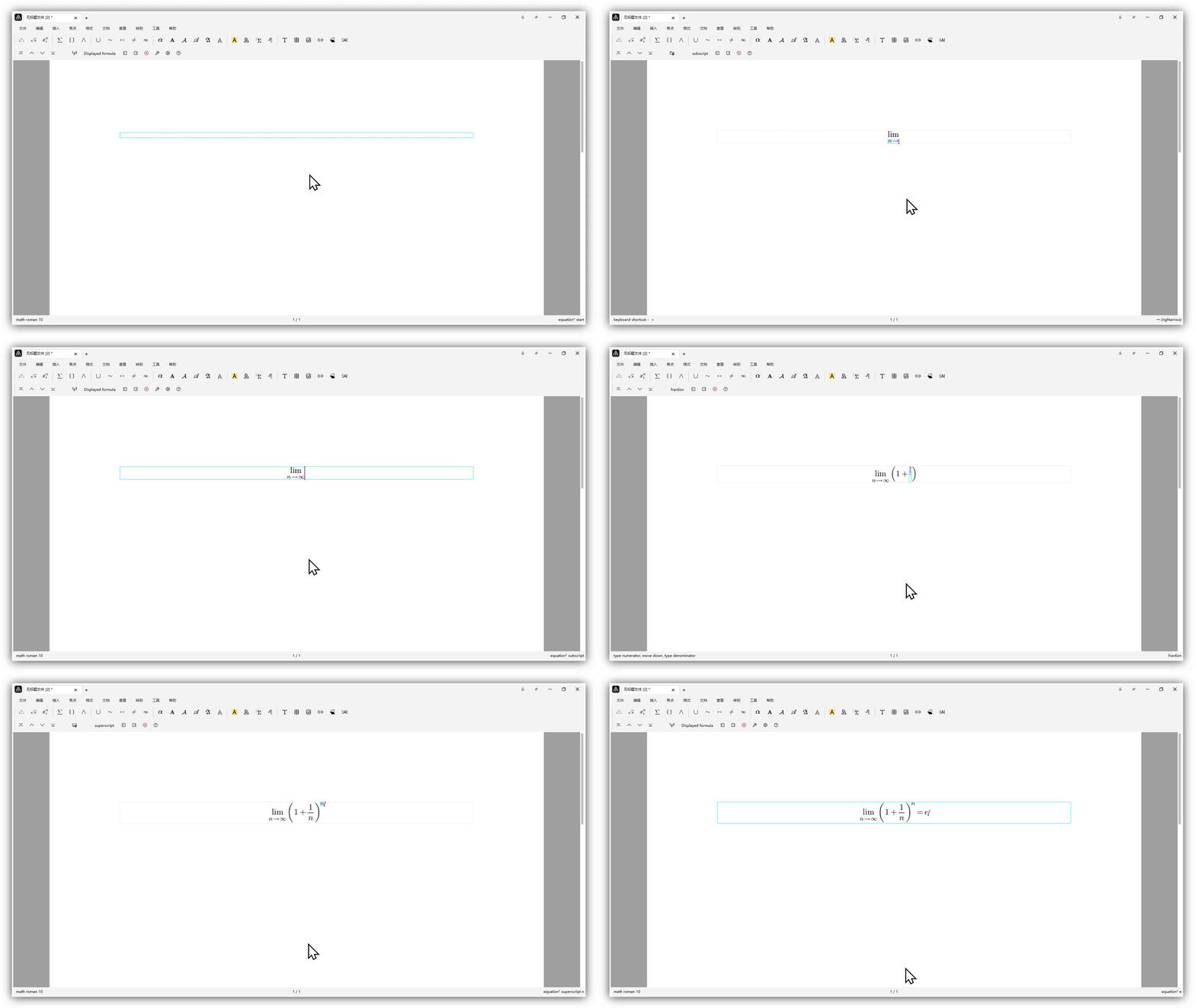
Video tutorial: Liii STEM: How to Input Limits
Q: How to adjust the display style of mathematical formulas
A: The display style for inline formulas is enabled by default, while for displayed formulas it is disabled by default. You can select the formula and adjust it through the Toolbar: Format → Display style.
Q: Can invoices be issued?
A: Yes, after payment, please contact customer service and provide invoice header information. We will have dedicated personnel issue the invoice for you.
Q: Why am I not receiving email verification codes?
A: If you haven't received the email verification code for a long time, please check your spam folder first. Using foreign email addresses may result in not receiving verification codes (such as Gmail).
Q: What is the relationship between TeXmacs, Mogan STEM, and Liii STEM?
A: Mogan STEM (Community Edition) is developed based on TeXmacs 2.1.4. Liii STEM (Commercial Edition) adds built-in AI and formula recognition features on top of Mogan STEM.
Q: Can commutative diagrams be drawn?
A: Yes, enter Math Mode and use the Toolbar: Insert → Image → Commutative diagram to draw commutative diagrams. Video tutorial: Liii STEM: The World's Fastest Method for Drawing Commutative Diagrams
Q: What should I do if the app behaves abnormally or a feature doesn't work?
A: If the app behaves abnormally or a feature doesn't work properly, try clearing the cache or updating to the latest version and then relaunch the app. If the issue persists, please contact us. Before clearing the cache, back up your personal files.
Windows: Press Win + R, enter %appdata%, and press Enter. In the window that opens, delete the liiilabs folder. Go up one level, open the Local folder, and delete the LiiiLabs folder there as well.
macOS: Open Terminal and run the following commands (make sure you copy the full commands):
bash
rm -rf ~/Library/Caches/Liiilabs
rm -rf ~/Library/Application\ Support/liiilabs
# Note: If a folder name contains spaces, escape them with \ or use quotes.
Linux: Open Terminal and run:
bash
rm -rf ~/.cache/LiiiLabs
rm -rf ~/.local/share/liiilabs
Q: How do I input a piecewise function?
A: In Math Mode, use the Toolbar: Insert → Table → Choice. Or type \ to enter command mode, enter choice, and press Enter to insert it. Use Alt + arrow keys to expand it.
Video tutorial: How to Input Piecewise Functions.
Q: Invisible multiplication and operators
A:
- Operator in
As an example, the following equations disobey the standard mathematical formatting rules,
Instead, the correct formatting are
Notice the difference? Let us take as an example, the incorrect version uses the same font for and . Therefore, it is indistinguishable for minimizing over or take operator on .
For all operators, the -style grammar is \mathrm{operator}. For example,
LaTeX
\mathrm{d} x, \mathrm{sin}(x), \mathrm{cos}(x), \quad \text{and} \mathrm{min} f(x).
\text{operator}is not the same as\mathrm{operator}. For example, in Theorem environment, the font for\text{operator}becomes Italic, but the font for\mathrm{operator}remains the same among all environments.
For some frequently used operators, some syntax sugars are provided. Such as
\sinfor\mathrm{sin}or\mathdfor\mathrm{d}.
- Operator in Liii STEM
In Liii STEM, you never type \mathrm! All two consecutive letters in math mode will be recognized as an operator! For example, by typing xy you get instead of . To get in Liii STEM, you can add an extra space between x and y, i.e., x y, or using the invisible product. The invisible product can be entered by * tab.
The invisible product has semantic meaning! It means that you can directly paste (where an invisible product between and ) into Python, Octave, or Maxima for symbolic computation! Try it!
For operators with single letter such as differential operator , type
d tab.
Q: How do I input the $ symbol instead of entering Math Mode?
A: Normally, typing $ enters Math Mode. To input a literal $ symbol, press Tab after $.
Q: How do I input the \ symbol instead of entering command mode?
A: Normally, typing \ enters command mode. To input a literal \ symbol, press Tab after \.