Appearance
Formula Editing Faster Than Handwriting
Liii STEM provides a new formula input workflow that is simple and easy to memorize. With about one week of practice, your formula typing speed can match handwriting.
1. LEGO Symbols
LEGO symbols generate math symbols by combining characters with shape-based rules.
For example, < and > represent direction, and @ represents a circle. Typing < + = gives .
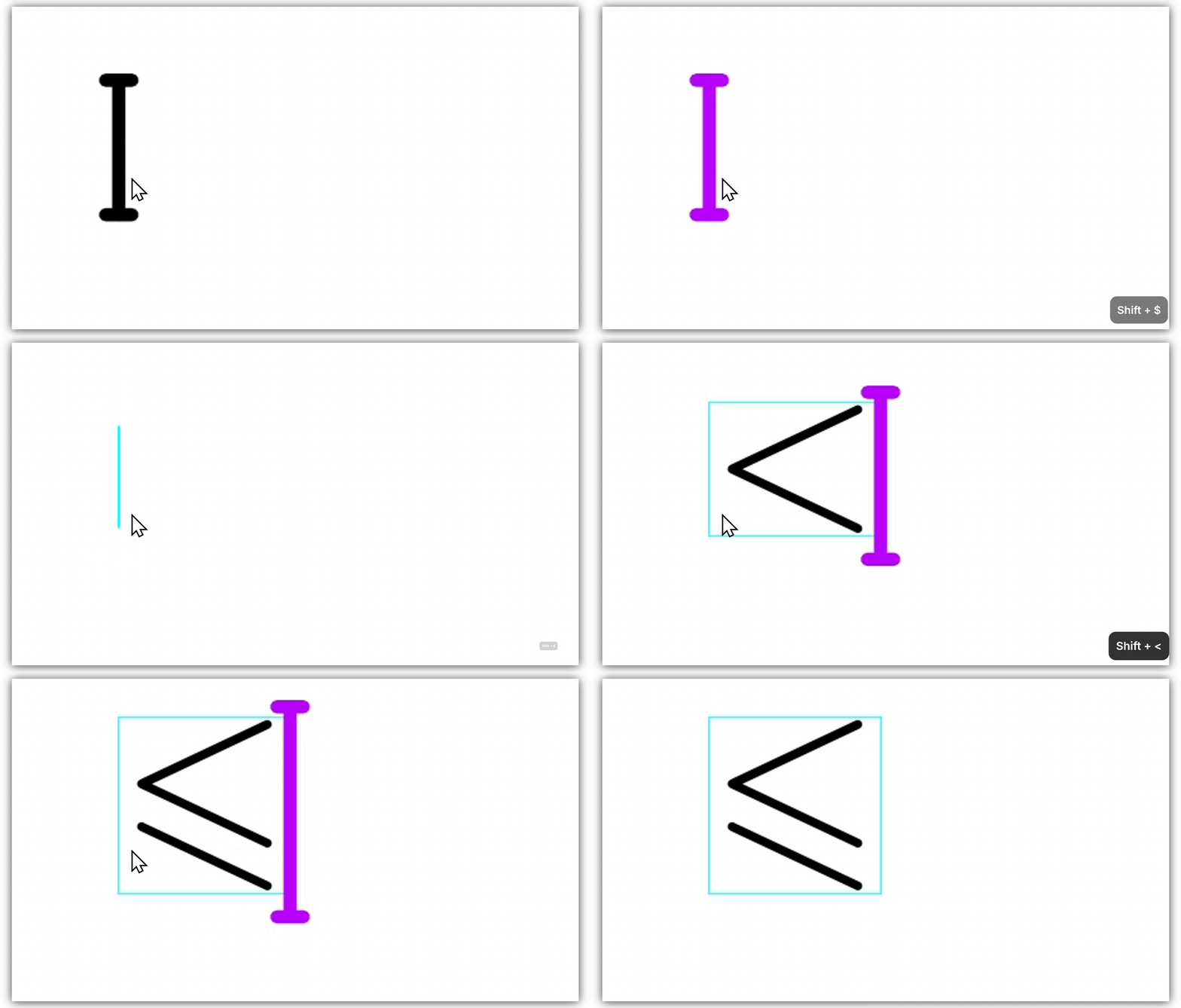
| Symbol | Liii STEM LEGO input |
|---|---|
- > | |
- - > | |
= > / | |
@ @ | |
@ + | |
@ * | |
R R | |
Q Q | |
| ... |
2. Tab Cycling
In math mode, any typed character can cycle through related symbols using Tab, based on shape similarity or pronunciation similarity.
Use
Shift+Tabto cycle backward.
Example: type A, press Tab twice to get .
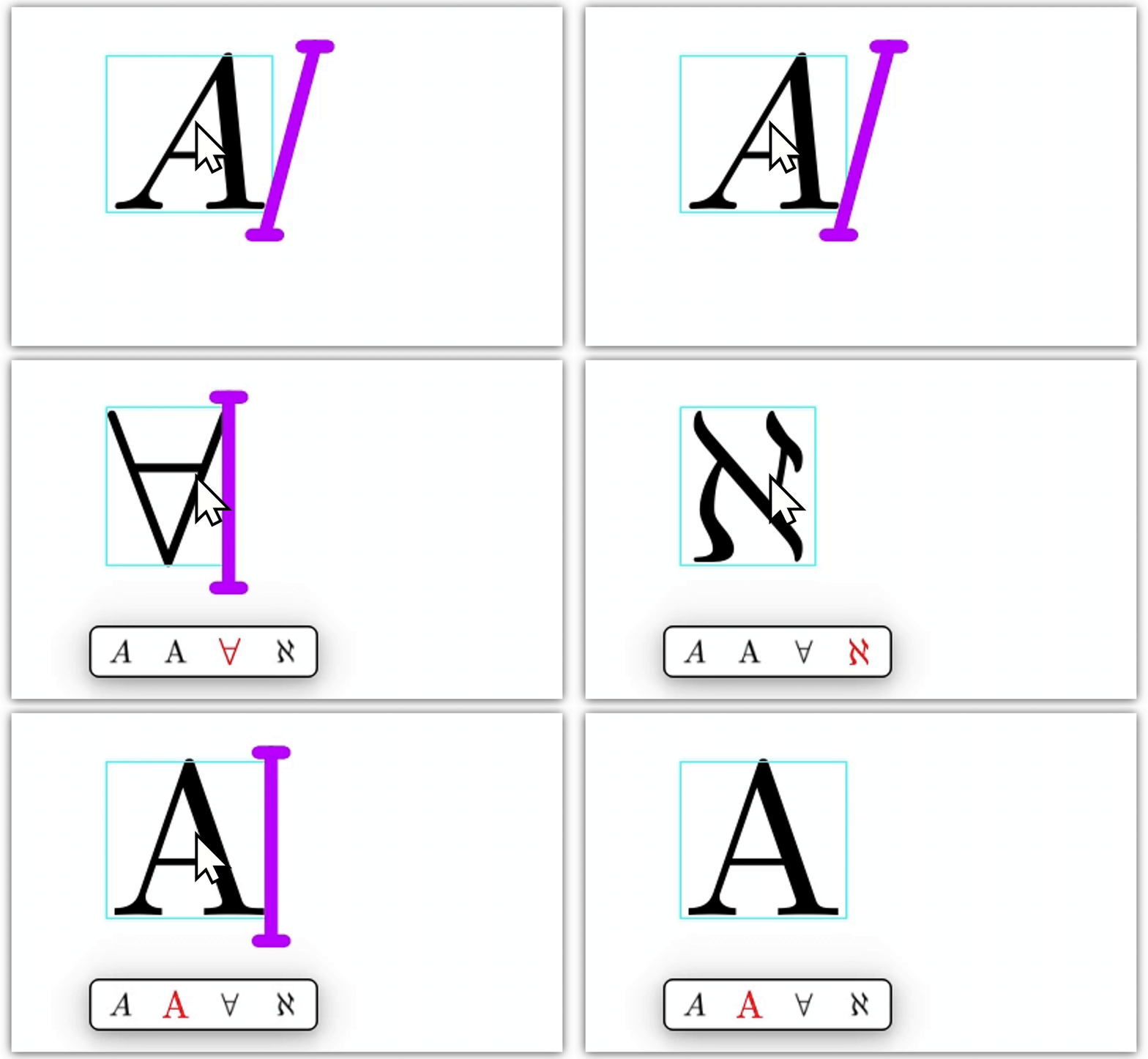
| Symbol | Liii STEM Tab input |
|---|---|
< Tab | |
< Tab | |
a Tab | |
e Tab | |
A Tab | |
E Tab | |
| ... |
3. Shortcut Lookup and Memorization
Mastering shortcuts improves writing speed significantly.
- Hover over symbols in the math-mode toolbar to view shortcut hints.
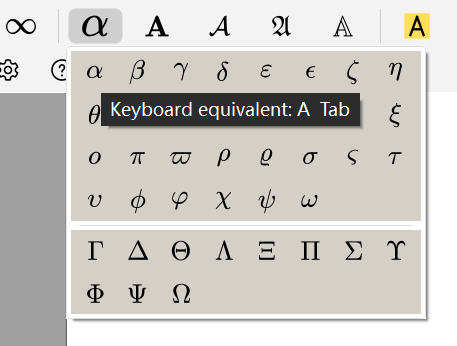
- See all shortcuts in the official shortcut guide: Liii STEM Keyboard Shortcuts
- Guess shortcuts using LEGO symbols and Tab cycling. Video example: Ultra-fast Formula Editing
4. Extended Reading: Tab Equivalence Class
If you are familiar with abstract algebra, this design is very similar to cyclic groups.
Definition (Tab Equivalence Class)
Symbols and are equivalent under key if they can be reached in the same Tab cycle of (where itself is directly typable). The set of all such symbols is the Tab equivalence class of , denoted by .
For example, .
Examples
- Greek-letter classes:
- Logic symbols:
- Calculus-related classes:
- Font families: