Appearance
Custom Model API (Advanced Users)
This guide explains how to use the built-in LLM integration in Liii STEM.
Setup
Supported models
Currently supported:
- DeepSeek V3 (SiliconFlow / DeepSeek API)
- DeepSeek R1 (SiliconFlow / DeepSeek API)
- Qwen-2.5 72B (DeepSeek API)
- Qwen-2.5 7B (DeepSeek API)
Pandoc (Linux only)
On Linux, install pandoc before using the plugin:
bash
# Ubuntu
sudo apt-get install pandoc
Then update the LLM plugin in Liii STEM:
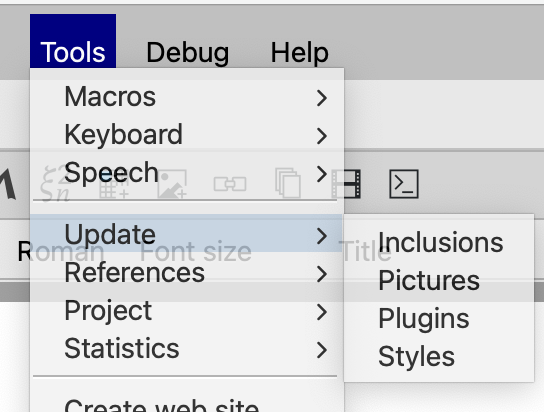
Liii STEM includes built-in SiliconFlow and DeepSeek API support. You can use built-in models with no extra configuration.
You can also configure your own API keys:
SiliconFlow API key
Step 1: Create an account
Website: https://cloud.siliconflow.cn/i/h8qNv0VJ
After registration, generate and copy your API key:
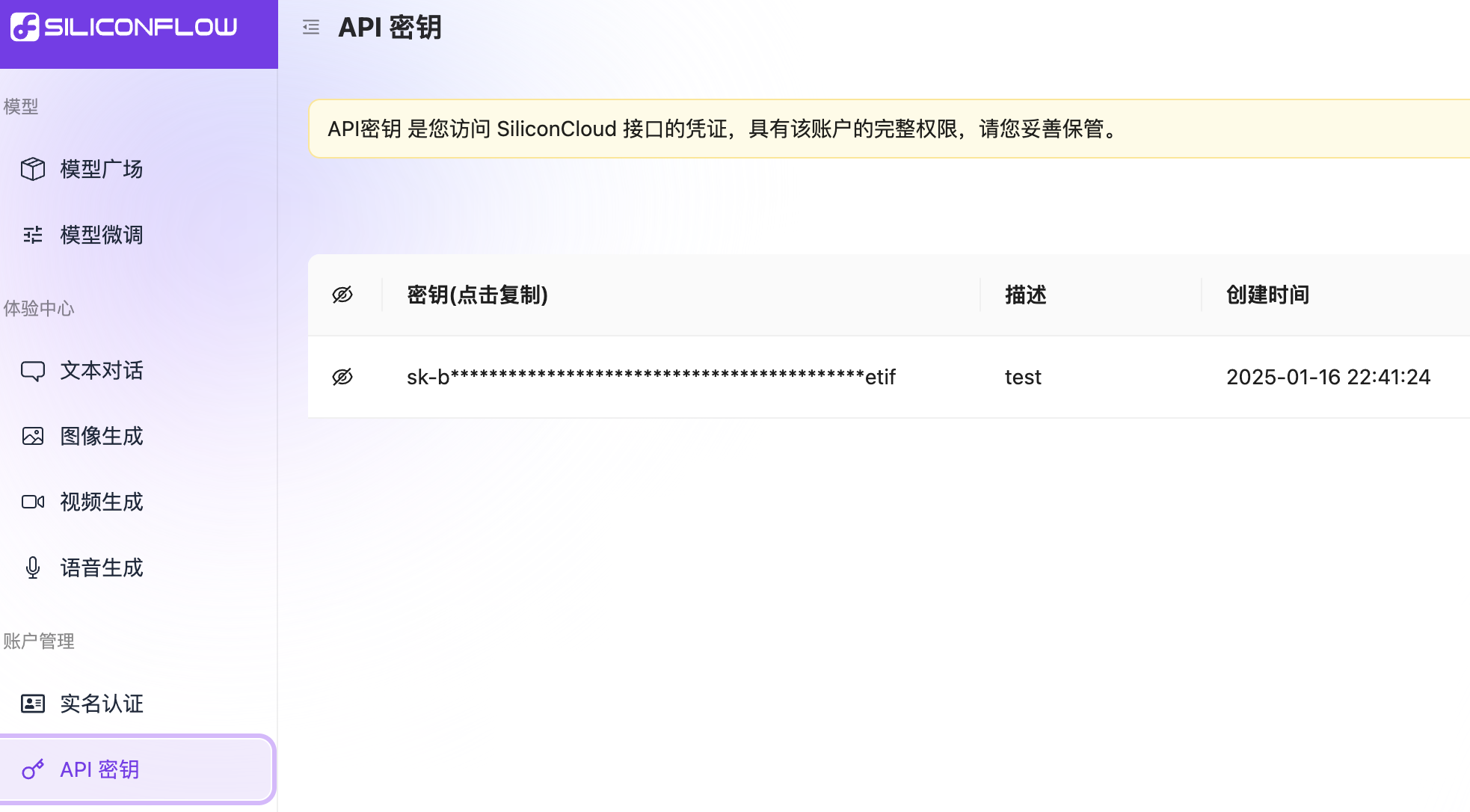
Step 2: Configure key in Liii STEM
Open Help -> Plugins -> LLM.
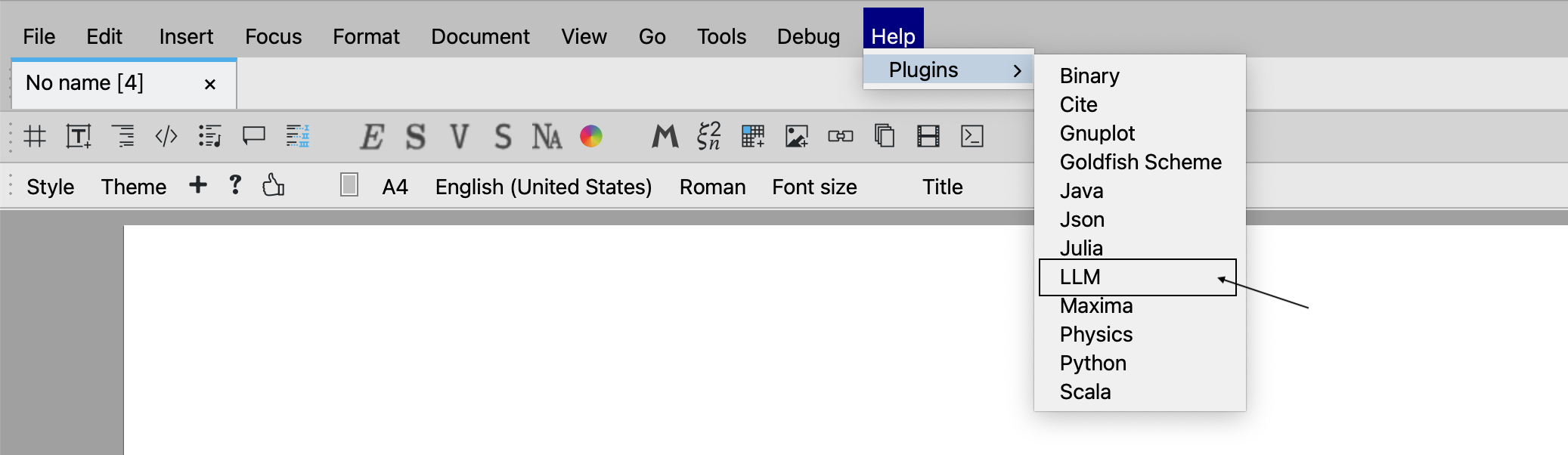
Open llm_zh.tm.

Paste your API key and save.
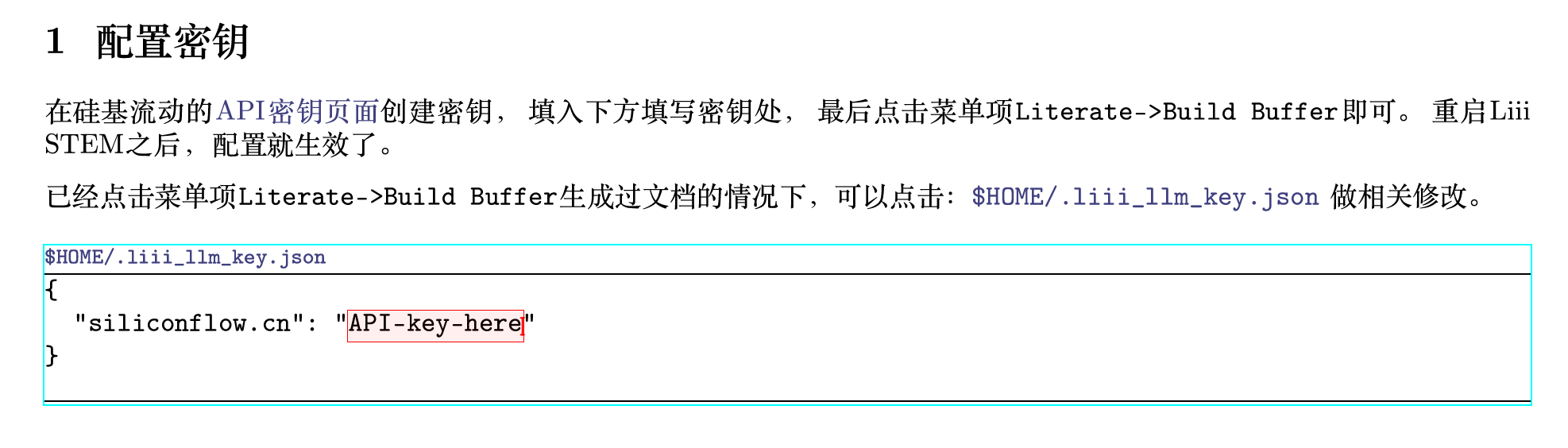
Then click Literate -> Build buffer.
DeepSeek API key
Step 1: Create an account
Go to DeepSeek API Keys, create a key, and copy it.
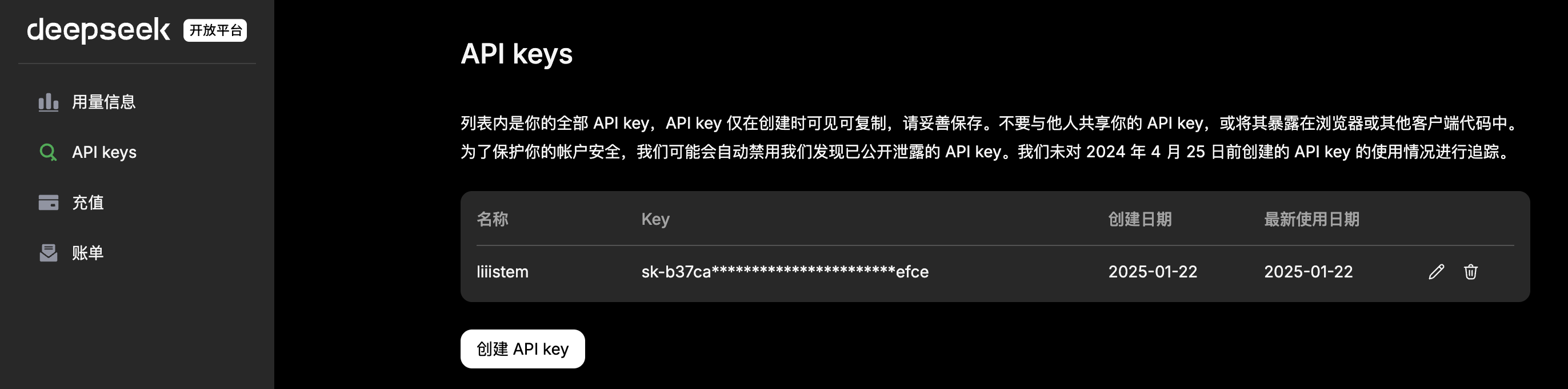
Step 2: Configure key in Liii STEM
Open Help -> Plugins -> LLM.
Open llm_zh.tm.
Paste your API key and save.

Then click Literate -> Build buffer.
Proxy configuration
In some network environments, you may need a proxy for API access. Liii STEM supports per-provider proxy settings.
You can configure proxies in:
Help->Plugins->LLMdocumentation$HOME/.liii_llm_key.json
JSON format
json
"<provider-domain>": {
  "api-key": "<your-api-key>",
  "proxy": {
    "http": "<http-proxy-url>",
    "https": "<https-proxy-url>"
  }
}
Example for OpenAI
json
"openai.com": {
  "api-key":"Fill in your secret key here",
  "proxy":{
    "http":"http://127.0.0.1:7890",
    "https":"http://127.0.0.1:7890"
  }
}
Disable proxy
Either:
- Set
"proxy": {} - Remove the
proxyfield
Apply configuration
If edited in Liii STEM help docs:
- Click
Literate -> Build buffer - Restart Liii STEM
If edited in $HOME/.liii_llm_key.json:
- Save the file
- Restart Liii STEM
Common proxy issues
1) Connection timeout
- Check whether the proxy client is running
- Try a different route
- Verify proxy address and port
- Check firewall/security software interception
2) API call errors
- If you configured an HTTPS proxy endpoint like
https://127.0.0.1:7890, make sure your proxy server supports HTTPS proxy protocol. - Most local clients (Clash, V2RayN, Shadowsocks) expose HTTP or SOCKS ports, not HTTPS proxy ports.
- Validate JSON syntax (commas, quotes, braces).